
Google Translate Pronunciation Practice: What It Does and How English Learners Can Use It
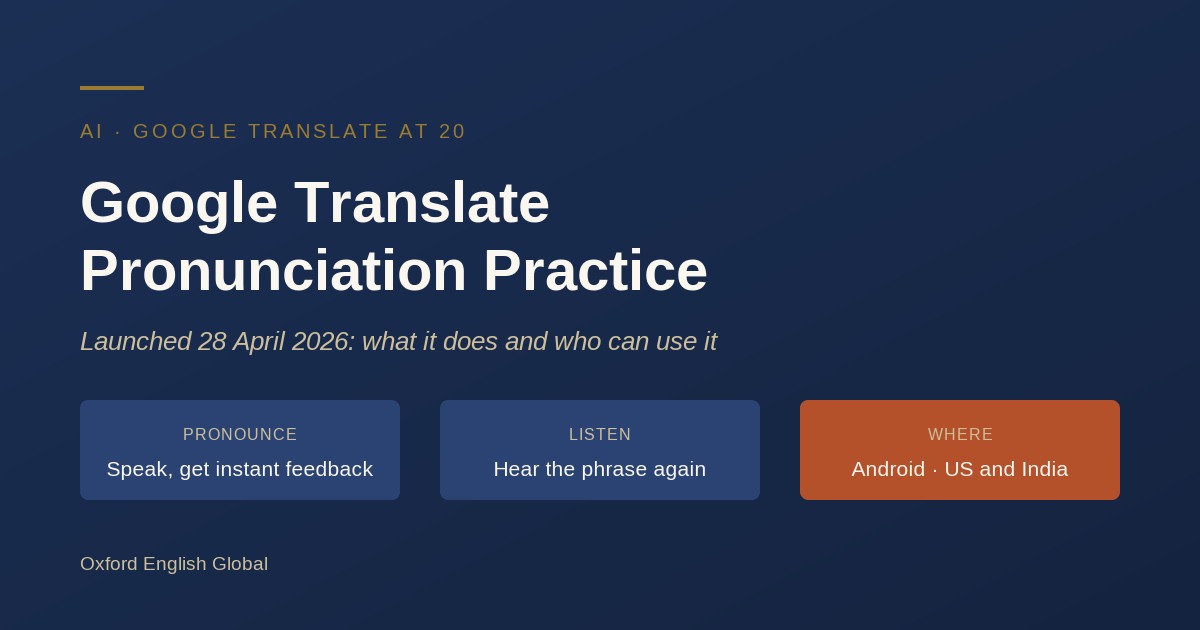
Google marked Translate's 20th anniversary on 28 April 2026 with an AI pronunciation practice tool that listens to you and gives instant feedback. This guide checks what Google actually announced, who can use it today, how it differs from the older Practice mode, and how to fit it into a 10-minute daily speaking routine.

- What Google launched on 28 April 2026
- How the Practice button gives feedback
- Who can use it: platforms, languages and countries
- Pronunciation practice vs the older Practice mode
- How to use it: step by step
- A 10-minute daily pronunciation routine
- What automatic feedback can and cannot judge
- Free pronunciation practice options compared
- If the feature is not available to you
- What this article cannot tell you
On 28 April 2026, to mark the 20th anniversary of Google Translate, Google launched "pronunciation practice" in the Translate app for Android. You say a phrase out loud, AI analyses your speech and gives instant feedback, and Google says it is available in the U.S. and India in English, Spanish and Hindi. It is a small, free tool, but it can be useful for adult learners who want a quick check on how a word or phrase sounds before they use it in a real conversation. This guide explains what the feature does, who can use it today, how it differs from the older Practice mode in Translate, and how to build it into a 10-minute daily speaking routine without expecting it to do a teacher's job.
Sources and date. Checked on 23 November 2026. The launch, the anniversary link and the U.S., India, English, Spanish and Hindi availability come from Google's own post, Celebrating 20 years of Google Translate (28 April 2026). The details of the Practice button, the "Pronounce" and "Listen" options and the phonetic spelling example come from 9to5Google and Engadget (both 28 April 2026), which are secondary sources. The older conversation Practice mode is described in Google's Translate Help Centre and in Google posts from 26 August 2025 and 12 December 2025. We also read the Mezha.net report (28 April 2026), which repeats Engadget's account.
What Google launched on 28 April 2026
Google Translate first launched on 28 April 2006, as 9to5Google notes, so 28 April 2026 was its 20th birthday. Google marked the date with a post by Rose Yao, VP of Product for Search, listing "20 things you might not know about Translate". The first item was a new feature:
"To celebrate our 20th anniversary of Translate, today we're launching one of our most requested features: pronunciation practice, so you can master your delivery on the Translate app for Android."
Google describes the tool as one that "uses AI to analyze your speech and provide instant feedback", with the aim of "helping you nail the right pronunciation before you start a real-world conversation". It sits alongside two other Translate tools Google mentions in the same paragraph, "ask" and "understand", which give extra context and alternative translations.
The same post gives some background figures, all as stated by Google on 28 April 2026:
| Figure (Google, 28 April 2026) | What Google said |
|---|---|
| Languages supported by Translate | About 250 (Google also says "almost 250") |
| Monthly users | More than 1 billion users ask Google for translation help each month |
| Words translated | Around 1 trillion words every month |
| Learners on mobile | About a third of people using Translate on mobile use it to learn and practise a language |
| Speaking practice | Nearly half of people who use Practice every week use it for speaking activities |
Engadget and Mezha.net report "over 250 languages"; Google's own wording is "about" or "almost" 250, so we use Google's figure.
How the Practice button gives feedback
Google's post does not include step-by-step instructions, and at the time of checking we could not find a Help Centre page dedicated to pronunciation practice. The practical details below come from two tech news sites that reported the launch on the same day.
- Where it appears. According to 9to5Google, after you get a translation you select the "Practice" button. Engadget says the button appears at the bottom of the app if the feature is available to you.
- Two choices. Engadget reports that the button lets you either "pronounce" what you have translated or "listen" to how it is pronounced.
- Pronounce. You speak the phrase. Translate listens and uses AI to analyse how you said the words, then gives instant feedback.
- Phonetic tips. Engadget says Translate then shows a phonetic spelling of how specific words should sound. In Google's demonstration, a speaker said the Spanish word jugo (juice) with an English "j" sound, and Translate spelled it out as "HU-go".
That "HU-go" example shows what kind of feedback to expect: a simple respelling in capital letters for the stressed syllable, not the International Phonetic Alphabet. For an English learner, a similar tip might show a word such as comfortable as something like "KUMF-ter-bul". This English example is our illustration of the format, not output we have seen from the app.
Why this matters for learners. Respelling plus stress marking targets two of the most common causes of misunderstanding: a sound borrowed from your first language (like the English "j" in jugo) and stress on the wrong syllable. Our guide on improving English pronunciation at home explains why word stress is often the fastest win.
Who can use it: platforms, languages and countries
Here is what the sources say, and what they do not say, as of 23 November 2026.
| Question | Answer | Source |
|---|---|---|
| Launch date | 28 April 2026 | Google (official) |
| Linked to the 20th anniversary? | Yes, Google says it was launched "to celebrate our 20th anniversary of Translate" | Google (official) |
| Android | Yes, the Translate app for Android | Google (official) |
| iOS | Not mentioned by Google; Engadget says it is "only rolling out on Android at the moment" | Engadget (secondary) |
| Web (translate.google.com) | Not mentioned in any source we read | None |
| Countries | United States and India | Google (official) |
| Languages | English, Spanish and Hindi | Google (official) |
| Cost | No price is mentioned; Google describes Translate as a service "offered free of charge" | Google (official) |
Can you practise English with it?
Google lists English among the three languages, and Engadget writes that the feature is rolling out "for English, Spanish and Hindi". The plain reading is that you can practise the pronunciation of English phrases. However, Google's sentence does not say whether each of these is a language you practise, a language the app is set to, or both, and it does not list language pairs. If you live in the U.S. or India and use Android, the simplest test is to translate a phrase into English and look for the Practice button.
A conflicting report
One outlet, Beebom Gadgets (29 April 2026), says the tool supports five languages in one place and lists six in another: English, Spanish, French, German, Portuguese and Hindi. This does not match Google's own announcement, which names only English, Spanish and Hindi. Beebom's description also includes goal setting and role-play scenarios, which sound like the older conversation Practice mode described below. We follow Google's official wording.
We found no Google announcement, up to 23 November 2026, of pronunciation practice coming to iOS, the web or other countries. That could change at any time, so check the app.
Pronunciation practice vs the older Practice mode
There are now two learning tools in Translate, and both involve a button called Practice. That causes confusion, so it helps to separate them.
The conversation Practice mode (2025)
On 26 August 2025, Google began piloting a language practice feature in Translate. You tap "practice", set your skill level and goals, and Translate generates scenarios where you either listen to conversations and tap the words you hear, or practise speaking with hints. Google said it was a beta for Android and iOS, first for English speakers practising Spanish and French, and for Spanish, French and Portuguese speakers practising English.
On 12 December 2025, Google added "improved feedback so you can get helpful tips based on your speaking practice", a daily streak counter, and expanded the tool to nearly 20 new countries, including Germany, India, Sweden and Taiwan.
When we checked the Help Centre on 23 November 2026, it described this mode as a "limited beta experience" on Android and iOS, available for:
- Bengali, Dutch, French, German, Hindi, Italian, Portuguese, Romanian, Simplified Chinese, Spanish and Swedish speakers learning English;
- English speakers learning French, German, Portuguese or Spanish.
The Help Centre lists supported countries across Africa, the Americas, Asia-Pacific, Europe and the Middle East, including Nigeria, South Africa, Brazil, Mexico, the United States, India, Bangladesh, Australia, Taiwan, the United Kingdom, Germany, France and the United Arab Emirates. Check the full list on the Help Centre page, because it is long and may change.
How the two compare
| Pronunciation practice (April 2026) | Conversation Practice mode (2025 beta) | |
|---|---|---|
| What you practise | Saying a phrase you have just translated | Listening and speaking in AI-generated scenarios |
| Feedback | Instant AI feedback on your pronunciation, with phonetic spelling tips (as reported by Engadget) | Hints and tips based on your speaking; daily progress tracking |
| Platforms | Android | Android and iOS |
| Where | U.S. and India | Countries listed in the Help Centre |
| Languages | English, Spanish, Hindi | 11 first languages for learning English; English speakers learning four languages |
| Official status | Launched by Google; no Help Centre page found | "Limited beta" in the Help Centre |
In short: the conversation mode helps you use English in situations; pronunciation practice helps you say a specific phrase more clearly. They work well together.
How to use it: step by step
These steps combine Google's announcement with the reports from 9to5Google and Engadget. Screens and labels may differ on your phone, especially if Google changes the design.
- Update the app. Install or update Google Translate for Android from the Google Play Store.
- Check that you are eligible. Google says the feature is available in the U.S. and India, so it may not appear elsewhere.
- Translate a phrase into English. Choose something you will really say this week, for example a sentence for a meeting or a phone call. Short phrases of five to ten words are easiest to work with.
- Tap Practice. Look for the Practice button at the bottom of the screen after the translation appears.
- Listen first. Choose "Listen" and play the phrase two or three times. Notice which words are loud and long, and which are short and quick.
- Choose "Pronounce" and speak. Hold the phone at a normal distance, in a quiet place, and say the whole phrase at a natural speed.
- Read the feedback. Look at which words are flagged and read the phonetic spelling. Say the flagged word alone three times, then put it back into the full phrase.
- Try again and move on. Repeat once or twice. If the same word is still flagged, write it down for later rather than repeating it twenty times in a row.
Tip: Practise the phrase as you will actually say it, including small words such as to, for and a. English speakers often reduce these words, and practising them in context helps your rhythm. See our guide on how to pronounce -ed endings for another sound that changes in connected speech.
A 10-minute daily pronunciation routine
A short daily session is easier to keep than a long weekly one. This routine works with Translate's pronunciation practice if you have it, and with a phone voice recorder and a dictionary with audio if you do not.
| Time | Step | What to do |
|---|---|---|
| Minute 0 to 1 | Choose three phrases | Pick three short phrases you need today or this week: a greeting, a question and something about your work or studies. |
| Minute 1 to 3 | Listen | Use Listen in Translate (or dictionary audio). Mark the stressed syllables on paper, for example I'd like to BOOK a TAble for TWO. |
| Minute 3 to 6 | Pronounce and check | Say each phrase once with Pronounce. Note any word the app flags and its phonetic spelling. |
| Minute 6 to 8 | Fix one thing | Choose one flagged sound or stress pattern. Say the word alone, then in the phrase, five times slowly and five times at normal speed. |
| Minute 8 to 9 | Shadow | Play the phrase and speak at the same time, copying the rhythm and the rise or fall at the end. |
| Minute 9 to 10 | Use it | Say each phrase inside a sentence of your own, out loud, as if you were talking to someone. Write the hardest word in a notebook. |
Once a week, record yourself saying all the week's phrases and compare it with a recording from the first week. Our guide on practising English speaking without a partner explains shadowing, self-talk and recording in more detail, and how to improve English speaking covers fluency and pace.
If you also use a general AI chatbot, you can ask it for practice phrases at your level, for example "Give me five short sentences a B1 learner might need when checking into a hotel, with the stressed syllables in capitals." Our list of Claude and ChatGPT prompts for learning English has more ideas. A text chatbot cannot hear you, though, so use it to create material, and a speech tool or a person to check your pronunciation.
What automatic feedback can and cannot judge
Pronunciation teachers usually separate three ideas:
- Intelligibility: whether a listener can understand the words you said.
- Comprehensibility: how much effort it takes the listener to understand you.
- Accent: how different your speech sounds from a particular model, such as standard American or British English.
These are related but not the same. Many speakers with a clear foreign accent are completely easy to understand, and the goal for most adult learners is to be understood the first time, not to sound like a native speaker. Our guide on pronunciation at home discusses this in more detail.
What an automatic checker is likely to do well
- Spot a word that is clearly different from the expected word, for example a wrong vowel or a missing consonant.
- Draw your attention to a sound from your first language, as in Google's jugo example.
- Give you a model to listen to as often as you like, without embarrassment.
- Give quick, repeatable feedback, which is useful for regular practice.
What it may not judge well
- Accent versus error. A tool compares your speech with an expected pattern. It may flag an accent feature that does not affect understanding, or miss a problem that confuses real listeners. Google has not published which English accent or accents the tool uses as its model.
- Real conversations. You practise a phrase you already know. Real speech includes unplanned sentences, speed, noise and a listener who reacts to you.
- Rhythm and intonation. The sources we read describe feedback on words and phonetic spelling. They do not say whether the tool comments on sentence stress or intonation, which often matter more for being understood in English.
- Accuracy. Google's Help Centre warns, about its AI practice features, that "Generative AI is experimental and can be inaccurate." Treat the feedback as a hint, not a verdict.
A practical rule: if the app flags a word, check it in a good dictionary with audio. If a person regularly misunderstands you on a word, fix that word first, even if the app says it is fine.
Free pronunciation practice options compared
We include only free options where we could check the facts on the provider's own pages on 23 November 2026. We have not tested how accurate any of them is.
| Option | What you do | Feedback | Platforms and availability | Source |
|---|---|---|---|---|
| Google Translate pronunciation practice | Say a phrase you have translated | Instant AI feedback; phonetic spelling tips (reported by Engadget) | Android; U.S. and India; English, Spanish, Hindi | |
| Google Translate Practice (conversation mode) | Listening and speaking activities in AI-generated scenarios | Hints and tips on speaking; daily progress | Android and iOS; limited beta in listed countries and language pairs | Google Help Centre |
| Microsoft Reading Coach | Read stories and passages aloud | Pronunciation detection, with Microsoft saying it covers "multiple English dialects"; practice of the words you found hardest, with syllable breakdown and an AI voice model | Web and Windows app; free; designed mainly for reading practice | Microsoft, Microsoft Support |
| Phone voice recorder plus dictionary audio | Record yourself and compare with a model | None automatic; you compare by ear | Any phone; anywhere | Not applicable |
Microsoft Reading Coach is built for literacy and reading fluency rather than adult conversation, but reading aloud with word-level feedback can still help adult learners with difficult words. Paid pronunciation apps also exist; we have not included them here because this table covers free options only.
If the feature is not available to you
Most learners outside the U.S. and India, and iPhone users everywhere, cannot use pronunciation practice yet. You can still follow the same method:
- Use Listen-style models. Translate's audio button, or a learner's dictionary with audio, gives you a model to copy.
- Record and compare. Record the phrase on your phone, play the model, then play your version. Listen for one thing at a time: stress, then a difficult sound, then the ending.
- Check whether the conversation Practice mode is in your country. The Help Centre list includes many countries, and it covers learners of English from 11 first languages.
- Get human feedback sometimes. A teacher can tell you which errors actually cause misunderstanding, which no tool we read about claims to do. Our free lessons are a place to start.
What this article cannot tell you
- How accurate the feedback is. We have not tested the feature, and Google has not published accuracy figures for it.
- The exact screens. Google's post has no step-by-step guide, and we found no Help Centre page for pronunciation practice. The button and option names come from 9to5Google and Engadget.
- Exact language pairs. Google names English, Spanish and Hindi but does not say which language you practise and which language the app uses for instructions.
- Which English model it uses. Google has not said whether the tool compares you with American, British, Indian or another variety of English.
- Future changes. Availability may have changed after 23 November 2026. Check the app and Google's Help Centre.
This page is independent guidance from Oxford English Global. We have no commercial relationship with Google, Microsoft or any news outlet cited, and the page contains no affiliate links. For structured speaking and pronunciation practice with a teacher, see our English courses.
Frequently asked questions
Is Google Translate pronunciation practice free?
Google did not mention any price when it launched the feature on 28 April 2026, and it describes Translate as a service offered free of charge. You need the Translate app for Android and must be in a country where the feature is available.
Is pronunciation practice available on iPhone?
Not according to the sources we checked on 23 November 2026. Google announced it for the Translate app on Android only, and Engadget reported that it was only rolling out on Android at launch. The older conversation Practice mode does work on iOS.
Which countries and languages does it cover?
Google says pronunciation practice is available in the U.S. and India in English, Spanish and Hindi. One tech site listed more languages, but that does not match Google's own announcement.
Can the app tell me if I have a strong accent?
It analyses your speech and flags words that differ from its model, but an accent is not the same as an error. Many clearly accented speakers are easy to understand. Use the feedback as a hint and prioritise words that real listeners misunderstand.
What is the difference between pronunciation practice and the Practice mode?
The Practice mode, piloted in August 2025, creates listening and speaking scenarios based on your level and goals. Pronunciation practice, launched in April 2026, checks how you say a specific phrase you have translated and gives phonetic tips.